Tasks Feature
Kentico Software
Task management system integrated into content workflow – enabling teams to assign, track, and manage work items directly within the CMS.
🎯 Overview
Designed task management features allowing content teams to assign, track, and manage tasks directly within the CMS workflow. This feature integrated task management into the editorial process, enabling teams to coordinate work on content items without switching to external tools.
- Assign tasks to specific content items
- Track task status and ownership
- Integrate tasks into editorial workflow
- Manage task lists with filtering and sorting
- View tasks across the entire project or per content item
📋 Task Management Interface
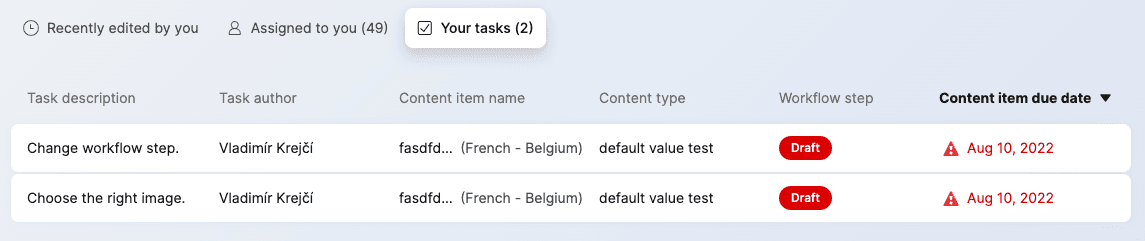
Designed a comprehensive task management interface that allowed users to view, filter, and manage tasks across their content workflow.
👤 Task Assignment & Details
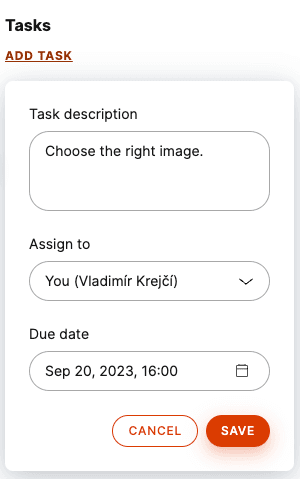
Users could create tasks, assign them to team members, and add context about the work that needs to be done. Tasks were linked to specific content items, providing clear context for each assignment.
📊 Status Tracking
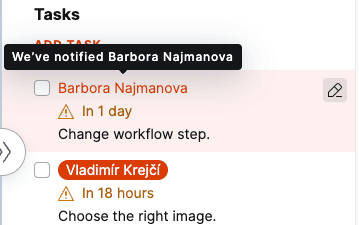
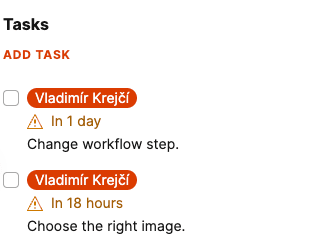
Visual status indicators made it easy to see task progress at a glance. Team members could update task status as work progressed, keeping everyone informed about what's in progress, what's blocked, and what's complete.
🌊 Impact
Tasks feature enabled better coordination within content teams, making it clear who's responsible for what work and tracking progress on content initiatives.