Asset Library
Kentico Software
Comprehensive asset management system for Kentico CMS – enabling content teams to upload, organize, search, and manage media assets efficiently.
🎯 Problem
Content teams need a centralized system to manage media assets that are used across multiple content items. Without proper asset management, teams face challenges with asset discovery, consistency, metadata management, and reusability.
👥 User Needs
Identified key user needs through Jobs to be Done research.
- Content Strategists: Prepare approved asset sets for consistent usage across content items
- Content Contributors: Quickly find and insert assets from the library into content
- Both: Manage asset metadata (alt text, captions, descriptions) for accessibility and SEO
- Both: Filter, search, and categorize assets for efficient organization
- Both: Upload assets with variants for multiple languages and screen resolutions
✨ Core Features Designed
Comprehensive asset management capabilities for the full asset lifecycle.
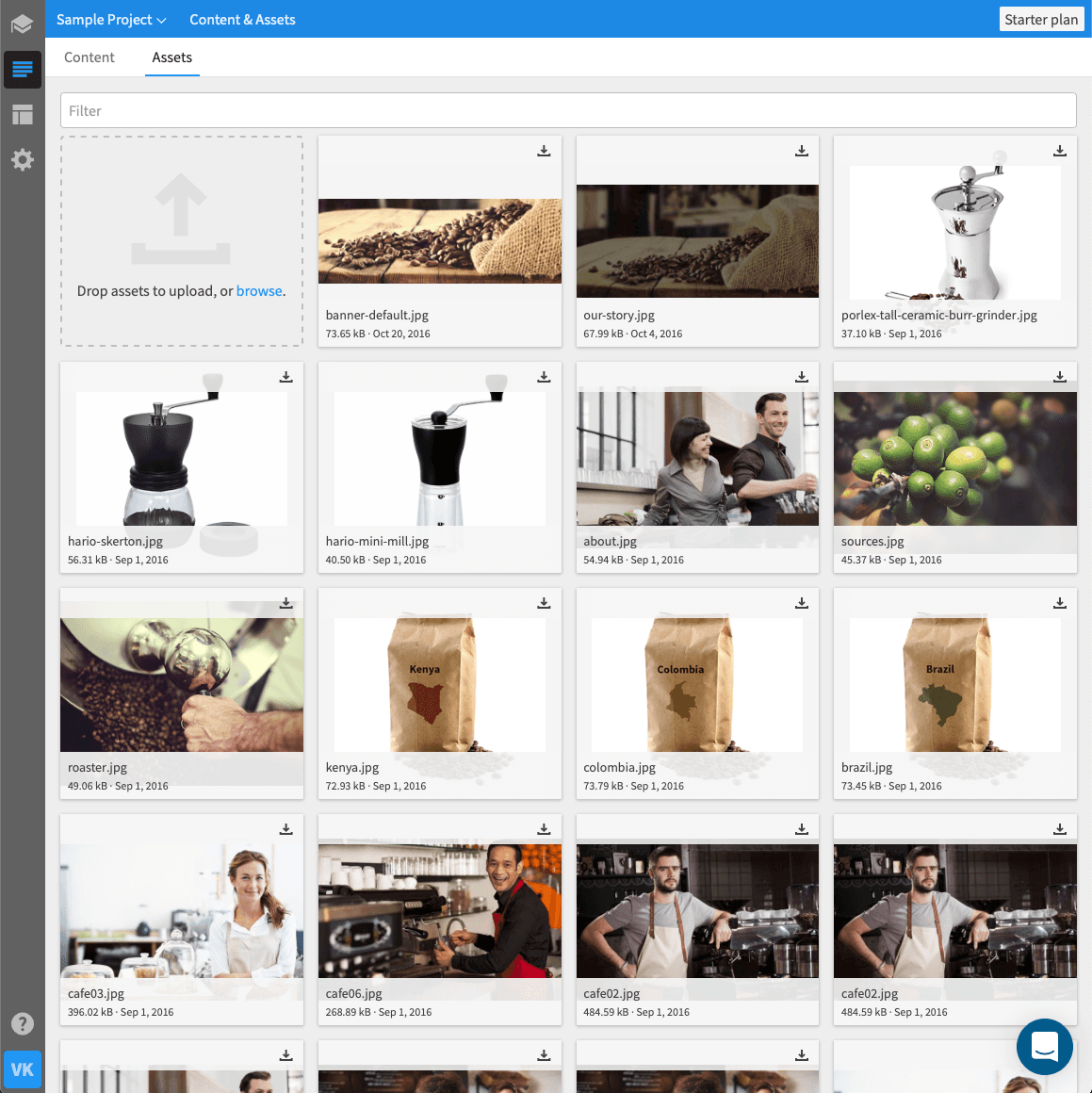
- Asset Upload & Variants – Upload single assets or sets of variants for different languages and screen resolutions
- Metadata Management – Add/edit alt text, captions, descriptions, filenames for all assets
- Asset Library Browsing – Browse all assets in a centralized location with preview capabilities
- Search & Filter – Search by name, filter by file type and category, sort assets
- Asset Categorization – Organize assets by categories for easier discovery
- Asset Details View – View comprehensive asset information (filename, size, resolution, upload time, uploader, usage locations)
- Bulk Operations – Download and delete multiple assets simultaneously for efficiency
📝 Inline Images in Rich Text
Designed workflow for inserting and managing images within rich text editors.
- Insert from Asset Library – Reuse approved assets directly in rich text
- Upload New Inline Images – Upload images that automatically save to Asset Library
- Precise Image Placement – Insert images at specific text positions
- Image Management – Download, caption, and define alt text for inline images
- Edit & Replace – Change or delete inline images with undo capability
📦 Assets in Content Types
Designed asset element functionality for structured content.
- Asset Element Integration – Upload or select assets for content type fields
- Automatic Library Sync – Assets added to content items save to Asset Library
- Full Asset Details – View and edit all asset metadata from content items
- Asset Preview – Download and preview assets in full size
- Alt Text & Captions – Manage accessibility metadata directly from content editor
🔧 Design Process
User-centered design approach with iterative prototyping and testing.
- Jobs to be Done research to understand user workflows and pain points
- Interactive prototype development for usability validation
- Usability testing with content strategists and contributors
- ProductBoard feedback integration from actual customer requests
- Iterative refinement based on user feedback and testing insights
🌊 Impact
The Asset Library streamlines asset management workflows, enabling content strategists to maintain approved asset collections and content contributors to efficiently find and use assets across content items.